Maintenance software for building technology Create maintenance plans automatically, capture equipment with a photo

QR Labeling is the maintenance software for building technology: caretakers, facility managers, property management companies and building services contractors photograph their components, receive the maintenance plan automatically and document every service via the QR code directly on the component.

  • Photograph the component, AI captures manufacturer, type and year of manufacture
  • The maintenance plan is generated automatically from manufacturer intervals
  • Service history is available via the QR code on the component
Ready in 5 minutesNo installation or trainingNo specialist knowledge requiredVisible to all users
Maintenance challenges

Maintenance in building technology rarely fails on skill. It fails on documentation

Whether building services technician, maintenance team or property management, the pattern repeats itself. Equipment is installed, operated and managed, yet the asset inventory, maintenance intervals and service history live in people's heads, on scraps of paper or in Excel lists. Without maintenance software, what is missing in the end is a professional maintenance plan that covers every component. Large CMMS software solutions would be the answer, but they fail because nobody fills them in.

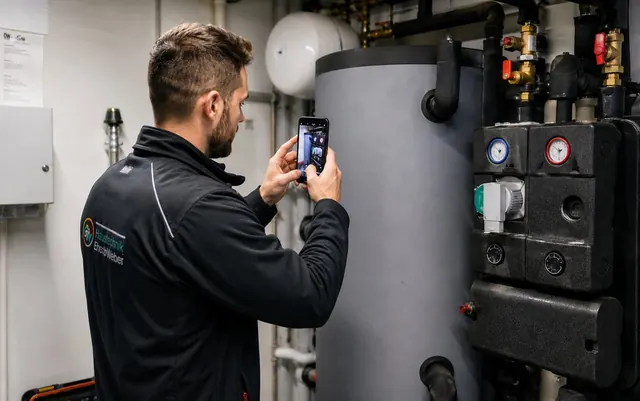
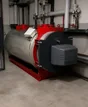
Building services technician photographs a water heater with a smartphone to capture the asset
Building services technicians · Sanitary, heating, ventilation

Equipment that needs servicing is installed and forgotten

Flat, detached house, apartment building, large-scale plant. Every day, specialist contractors in sanitary, heating and ventilation install components that need servicing, and the hectic daily routine leaves no time to record every component properly.

  • Nobody remembers where which components were installed
  • Service dates are forgotten and the job goes to whichever company happens to call
  • Recurring maintenance revenue is lost year after year
  • Reports and asset data are scattered across paper notes, files and people's heads
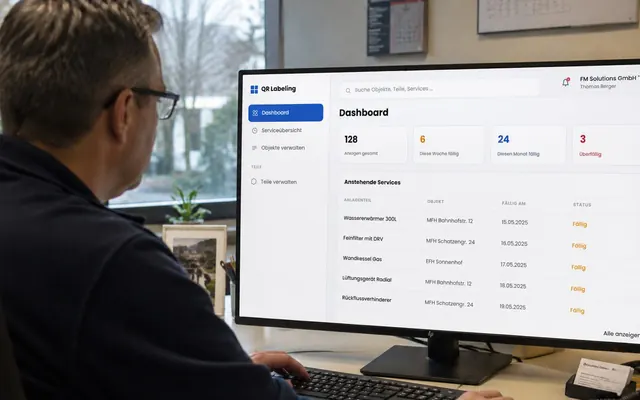
Facility manager reviews upcoming maintenance dates on screen
Facility management · Maintenance · Operators

Asset inventory and service history live in Excel lists

Facility management and technical services are responsible for buildings and equipment, yet instead of facility management software, the asset inventory lives in lists that nobody keeps up to date. Until something fails.

  • Unclear which component is installed where and when it needs maintenance
  • Unnecessary emergencies and damage because maintenance intervals lapse unnoticed
  • When a key person leaves, their successor starts from scratch
  • Documenting with Excel and paper lists wastes many hours every week
Property manager reviews the property portfolio on a tablet in front of an apartment building
Property management · Asset management · Owners

Hundreds of maintenance contracts, no overview

Across the entire portfolio, maintenance contracts run with dozens of installers. The contractors know what is done and when, but property management does not. When it matters, proof and plan documents are missing.

  • Unclear which contractor has to maintain which system and when
  • No evidence of whether the maintenance was actually carried out
  • Revision folders and plans are missing or sit in the archive
  • Planning offices wait months for revision documents
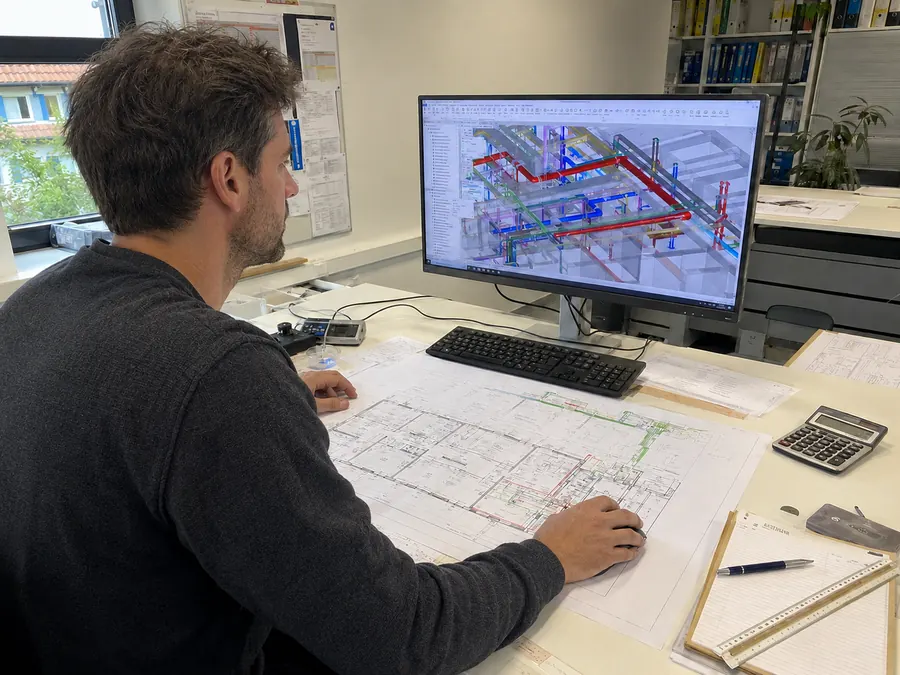
Specialist planner reviews the 3D model of the building technology at a CAD workstation next to the printed floor plan
Planning · Architecture · Site management

Revision documents arrive late, incomplete or not at all

At the end of the project there is no time to chase every contractor by phone. Handover is imminent, the documentation is patchy, and the client takes over a building without reliable records.

  • Following up with contractors at the end of the project takes weeks
  • Documents arrive late, incomplete and in all sorts of formats
  • After handover, the folder disappears into the archive
  • For any future refurbishment, there is no basis to work from
The solution

Maintenance software for building technology: maintenance planning without Excel

Three decisive functions change the maintenance of your building technology: photograph instead of typing, remind instead of forgetting, share instead of keeping duplicate records. If you have been managing maintenance planning in Excel until now, QR Labeling gives you maintenance software that more or less fills itself in. On-site capture by phone with the maintenance app becomes your complete digital maintenance planner.

1
AI part capture

Photograph the component, the data is captured

The AI reads nameplates, recognises manufacturer, model, serial number and year of manufacture, and files the component under the right object. This means apprentices, stand-ins or caretakers can capture components in seconds.

  • Recognises nameplates even in poor light and at awkward angles
  • No specialist knowledge required: anyone who can take a photo can capture components, quickly and effortlessly
  • All details are visible and can be corrected before saving
2
Automatic maintenance plan

Service recommendation based on manufacturer interval

Every captured component has its own maintenance interval, as recommended by the manufacturer. All the components of an object therefore add up to a continuous, complete maintenance plan, without anyone having to maintain a planning file.

  • The manufacturer's standard service interval is suggested for each component
  • Automatic reminders to technician and customer before the interval expires
  • Overview of what is due this month and this quarter
3
QR code directly on the component

One scan opens the service history and documents

The QR code on the equipment opens the complete record card of the component. History, documents, next appointment, contact person. Ideal support for your team and for your customers. Even when the service partner changes, the data stays tied to the building.

  • Scanning and reading documents is free forever, no account needed
  • Customers see your company and your contact details when they scan
  • Service history is tied to the component, not to a person
Your benefits

Numbers instead of promises

Users confirm these figures from everyday work with our maintenance software.

90%

faster component recording with AI photo capture compared to conventional manual entry.

80%

less time spent documenting maintenance work in the maintenance plan.

5min

from sign-up to the first recorded component, with no training and no IT project.

Not just for building systems

Document equipment, tools and test instruments in the same system

The maintenance software is not only used for permanently installed components. In principle, anything that needs to be maintained, inspected or tracked can be added to the same asset management with its own QR code. Whether for the workshop, a vehicle or safety equipment, the same rule applies: photo, inspection interval, history. This keeps the asset management of a property complete in one system, without additional parallel solutions alongside it.

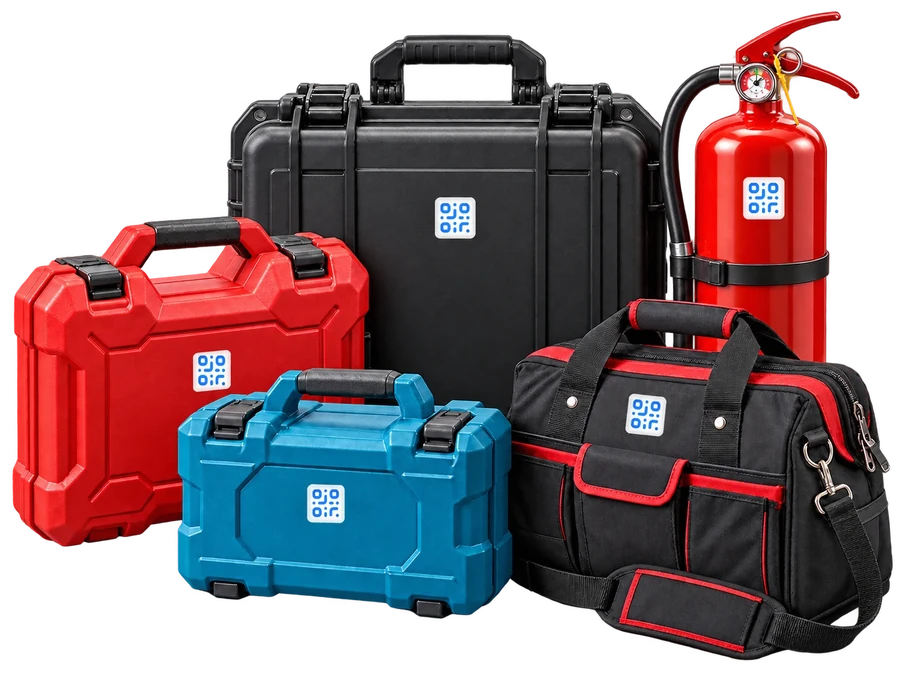
Tool case, tool bag and fire extinguisher with QR Labeling labels

Tools and mobile equipment

Drills, measuring instruments, service trolleys, ladders. Who has borrowed what, where was it last used, when is the next inspection due. Ideal for service teams working with many tools across several vehicles.

  • QR code on the tool, location and borrower visible at any time
  • Inspection intervals are scheduled automatically according to manufacturer specifications
  • History of maintenance, repairs and calibrations via QR code sticker on the equipment

Safety equipment and test instruments

Portable fire extinguishers, emergency exit lights, defibrillators, first aid kits, portable gas detectors. Equipment that is not permanently installed but still has to be inspected and documented. Everything is managed in the same asset inventory as heating and ventilation.

  • Inspection evidence at the push of a button for inspection bodies and insurers
  • Reminders for due maintenance of fire extinguishers and emergency lights
  • One unified inventory per property, without a second tool
Tailor-made modules

Modular from the basic version for your specific needs

Other maintenance software providers offer off-the-shelf modules. At QR Labeling we develop every module specifically for your business, tailored to your processes, your ERP, your suppliers and your standards. You start lean with the basic version and expand to full maintenance management, with extensions that fit you and deliver real added value.

Your appQR Labeling+ your modules
Module on request

Spare parts management with ERP integration

From simple stock levels per component to full integration with your ERP system. We make information on orders, stock and suppliers available where your technicians work and connect your existing system to our solution.

  • Spare part assignment per component
  • Integration with SAP, Abacus, Bexio, ProffiX and more
  • Trigger orders directly from the component card
Module on request

Customer pages for installers

Every installed component becomes a direct sales channel. Your customers order consumables at the push of a button, such as regeneration salt for the water softener, filter cartridges or service visits, all in the name of your business.

  • Orders and service requests directly from the QR scan
  • Your own products, prices and processes
  • Your logo and your brand take centre stage
Module on request

Integrate plans and floor plans

Maintenance on the plan instead of in a list. Components are placed on the floor plan, clicked and opened. For technicians who need to find their way around the building, and for property managers who need an overview of several sites.

  • PDF and CAD floor plans per object
  • Components with one click from the plan to the record card
  • Walk-throughs and inspection routes directly in the plan
Module on request

Budget planning and cost forecasting

How much maintenance budget do I need next year, and where will it be spent. Your asset inventory and the planned service intervals produce a reliable forecast that even the board of directors understands.

  • Cost forecast per object, sector or portfolio
  • Actual costs from service visits flow back into planning
  • Export for the budget process and reporting
Module on request

Cleaning plan and maintenance routes

Similar to the maintenance plan, but designed specifically for cleaning. Which rooms and areas need which cleaning when, how long does it take, which team is responsible. Ideal for facility management with several properties and for cleaning services.

  • Cleaning intervals per area, room or building type
  • Time requirements and resource planning per object
  • Proof of completed cleaning via QR scan
Your module

Your process, your module

Do you know a workflow in your business that standard software never maps cleanly? Tell us about it. We develop the module for it, fully integrated into QR Labeling, without you having to operate a second tool.

All modules are individually quoted, developed and integrated into your existing QR Labeling environment. You only pay for what you actually need.

Request module consultation
References

Businesses that work with QR Labeling

Four businesses from building services, production, an industry association and planning, showing here what QR Labeling is used for in everyday work. Four different routes into digital maintenance, with one and the same app.

Service orders that keep coming back

Bollinger AG, new builds, conversions and service. Whoever records the system remains the contact person: the customer can see at any time what is installed and when the next service is due.

Thanks to QR Labeling, important system information remains available at all times. Even after a new installation, maintenance can be carried out on schedule and necessary repairs can be planned reliably.

Thomas BollingerOwner and Managing Director, Bollinger AG

Building services and production plants

Rimuss & Strada Wein AG, beverage production in Hallau. Manages the maintenance of its building services and production plants with QR Labeling.

With QR Labeling we have a simple and practical tool for maintaining our building services and our production plants.

Markus HallauerOperations Manager, Rimuss & Strada Wein AG

Maintenance, training, development

Schweizerischer Fachverband Betriebsunterhalt, Zurich Section. Uses QR Labeling for its own maintenance and in training, and is a development partner.

With QR Labeling we bring digital maintenance into our training centre and have a tool partner at our side with whom we can help shape the future of digital maintenance.

Michael BandemehrPractical Training & Professional Development, SFB Zurich Section

Digital revision folders

Saniplan Gebäudetechnik GmbH, plumbing, heating, ventilation, water technology. Creates digital revision folders (Revisionsordner) with QR Labeling and is a partner in their further development.

Where others stand still, we move forward.
With QR Labeling we are making the digital revision folder fit for the future, step by step.

Nick UlrichManaging Director, Saniplan Gebäudetechnik GmbH
Connected maintenance

Installer, operator and property management all refer to the same component

In practice, three parties know nothing about each other. The installer installs, the operator operates, the property management signs maintenance contracts and hopes everything works. QR Labeling connects these three roles around one shared digital asset documentation, so everyone can see what is installed, what has been maintained and what is due next. Connected maintenance instead of three separate lists.

The often overlooked case

Property managers have so far been left out of maintenance contracts

The maintenance contract is signed, but nobody in property management knows what the appointed installer did and when. If damage occurs, the evidence is missing. If the service partner changes, the history is gone.

QR Labeling changes that: The installer shares the systems they have installed and maintained with property management, at the push of a button. From that moment on, property management sees every completed maintenance visit, every installed part and every upcoming deadline. The proof that the system is properly maintained is created automatically with every service entry.

And because all documents are linked to the component via the QR code at the time of installation, there is no more waiting for months for the revision folder. Plans, schematics and data sheets are available digitally from day one, for property management as well as for planning offices and the service partner.

This is how connected maintenance comes about. Installer, operator and property management work on the same equipment inventory, see the same information, and every system is maintained correctly by the right people and fully documented.

For planners, site management and building owners

The revision folder (Revisionsordner) is right where it belongs, in digital form

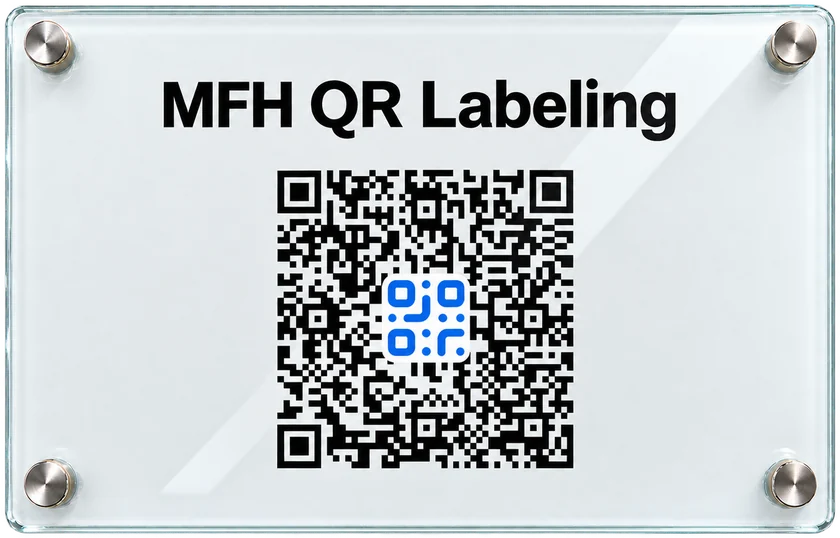
Acrylic glass revision panel with QR code, mounted in the central plant room

In an emergency every minute counts, and documents must be available immediately and without delay. When water suddenly drips from the ceiling, nobody has time to search the archive for drawings. Our QR sign is mounted in the central plant room; a single scan brings up schematics, as-built drawings and the complete digital system documentation for all trades. You know where the pipes run, you know where the shut-off valve is, and you can react at once. The same applies to a later conversion, when nobody remembers what was built or how.

Tender text to copy

Ordering and installation of a cross-trade revision folder. Delivery of the cross-trade revision documents to: info@qr-labeling.ch. The digital revision folder in the form of a QR sign is then delivered by post, including wall mount, and can be installed in the plant room. If desired, the revision folder can also be created and managed independently. The contractor is advised to allow CHF 500.00 for this item.

The one-off cost of the QR sign is only CHF 289 including 1 year of hosting, thereafter CHF 49 per year for hosting and support. This is invoiced to the building owner or the property management. The documents remain the property of the owner at all times. View all prices

Pricing

What does QR Labeling cost?

Only those who record components or log service work themselves pay. Viewing, scanning and opening documents remain free.

Maintenance tool

Record, plan, document

For building services contractors, facility management and anyone who manages their equipment inventory themselves.

Users in your company
1User
CHF 59per month
1 user at CHF 59 per month
Start for free
  • Record components with an AI photo
  • Maintenance plan based on manufacturer intervals
  • Generate and print QR codes
  • Log and document service work
  • Share equipment inventory with operator and property management
Property management & operators

Read-only access costs nothing

For property management companies and operators who have components shared with them by their installer.

CHF 0forever
View shared systems, track deadlines, open documents
A paid account is only needed once you record components or log service work yourself. The maintenance tool pricing then applies.
Start free account
  • View equipment inventory per property
  • Track upcoming and completed service work
  • Proof for owners and insurers
Planning & building owners

Free account, one-off revision folder

For planning offices, site management and building owners who hand over documents rather than manage systems.

CHF 0Account
Create objects, manage folder structures, file documents
Digital revision folder
Glass panel including first year of hostingCHF 289
Each additional year, hosting and supportCHF 49
Go to revision folder
Frequently asked questions

Frequently asked questions about the maintenance software

What is maintenance software for building technology?

Maintenance software for building technology keeps all of a building's components that require maintenance in one place: water heaters, heat pumps, ventilation units, water softeners and pumps. It records maintenance intervals, service history and documents, and reports when a service is due. QR Labeling is exactly this kind of maintenance software: components are recorded by photo, and the maintenance plan is created from them.

How does QR Labeling create a maintenance plan automatically?

Every component recorded by photo comes with its own maintenance interval, suggested according to the manufacturer's specifications. From all components of an object, a maintenance plan with concrete dates builds up continuously, without anyone having to maintain a planning file. If an interval changes, the date moves with it. Maintenance planning therefore keeps running in the background, even when nobody in the company is thinking about it.

How does AI component capture work?

Photograph the component or its nameplate, and the AI recognises the component type, manufacturer, model, serial number and year of manufacture and stores the data on the component. All details are visible and can be corrected before saving. The QR code is then created and attached to the component. Recognition also works in poor light and at an angle.

Can installer, operator and property management work together?

Yes. The installer shares the systems they have installed and maintained with the operator and property management at the touch of a button; all three see the same equipment inventory, the same service history and the same deadlines. Property management thereby receives proof that the system has been maintained. Each party keeps its own view, and duplicate lists become unnecessary.

Do we need specialist knowledge or training?

No. QR Labeling runs in the browser on phone, tablet and computer; no installation is required. Anyone who can take a photo can record components. The first component is usually recorded within five minutes of signing up. On site in the plant room, a phone is all you need, and the follow-up office work is eliminated.

What does QR Labeling cost?

QR Labeling costs CHF 59 per month for one user, CHF 39 per user per month from two users, and from nine users by arrangement. Anyone who only views shared components, tracks services or opens documents pays nothing. The digital revision folder costs a one-off CHF 289 including the first year of hosting, thereafter CHF 49 per year for hosting and support.

We currently manage our systems in Excel. How do we switch?

No data migration is needed. You photograph the components on site, and the AI reads manufacturer, model, serial number and year of manufacture from the nameplate. This is usually faster than cleaning up an Excel list that has grown over the years, and the details match what is actually installed in the plant room. You can start with a single object.

How long does implementation take and who records the existing systems?

There is no implementation project. Your own people record the inventory piece by piece, usually during a service visit that is due anyway. You do not need to record the whole portfolio before the first benefit appears: as soon as an object is recorded, its maintenance plan is in place. Many companies start with one property and add the others afterwards.

Can we manage several properties separately?

Yes. The equipment inventory is structured by objects and, within an object, by trades such as heating, sanitary, electrical and ventilation. Property management therefore sees each property on its own, and a building services contractor sees each customer on its own. Sharing is per object, so an operator only sees the systems that concern them.

As property managers, how do we prove that maintenance was carried out?

Every service job is logged on the component and remains permanently visible there, with the date and the company that carried it out. The QR code on the component leads directly to this service history. Towards the owner, the insurer or a new service partner, it can thus be demonstrated when each system was maintained, without searching through folders or email threads.

How do planners and building owners obtain the contractors' revision documents?

Through the tender. If the item for the cross-trade revision folder is put out to tender, the contractors deliver their revision documents to info@qr-labeling.ch. From these, the digital revision folder is created and installed in the central plant room as a panel with a QR code. The tender is a more effective moment for this than chasing documents after acceptance.

What does maintenance according to Swiss standards mean?

The terms are used differently. SIA 469 from 1997 uses "Erhaltung" (preservation) as the umbrella term and groups monitoring, upkeep, repair, renewal and modification beneath it. The European SN EN 13306, by contrast, covers the whole spectrum under maintenance. The KBOB therefore recommends defining the terms explicitly within the project. QR Labeling maps the activities regardless of what they are called.

Where is our data stored?

The data is stored in a data centre in Stuttgart, Germany, and therefore within the EU. It is not passed on to third parties and not analysed for any other purposes. The data processing agreement is publicly available on this website, and we will name the operator of the data centre on request.

Does it work in a plant room without signal?

Yes. That is exactly what the QR code on the component is for. In the basement you photograph the code and the component, even without signal. As soon as you have a connection again, in the stairwell, in the car or in the office, you assign the photos to the component and log the service work. There is no need to go back to the plant room.
Record your first component with QR Labeling today

Create a free account and try it out in the plant room, or see on screen in 15 minutes how a photo becomes the maintenance plan for your operation. From Diessenhofen TG we support companies throughout Switzerland.

Write to us and we will get back to you within 24 hours

Reach us directly

By emailinfo@qr-labeling.ch, reply within 24 hours Write an email
By phone+41 79 946 40 40 Call now